Docs

Admin Guide

Admin Guide / Governance

Organization-wide Defaults (OWDs)

Set OWDs for what users can do, which records and fields they can access, and how access flows between linked records.

Overview

OWDs define the organization-wide "starting point" for access in Rox. They determine which actions users can perform, which records and fields they can access, and how access flows between linked records.

For more precise control over specific teams, roles, or users, you can add Pods, Pod hierarchies, Permission Sets, and sharing on top of these defaults.

How OWDs work

Baselines contains three baseline layers and one access-flow control:

  1. Resource baseline: Controls what users can do with a "type" of data. For example, users may be allowed to read Accounts but not delete them.

  2. Record baseline: Controls which specific records users can access. For example, users may see only their own Accounts or every Account in the organization.

  3. Baseline field access: Controls what users can do with information inside an accessible record. For example, users can view every field on accounts, but not edit them.

  4. Parent-child access cascade: Extends access from a parent record to its linked records. For example, access to an Account can also grant access to its linked Deals.

Configure baselines

Before you begin, confirm you can manage Governance settings.

⁤1. Open Baselines

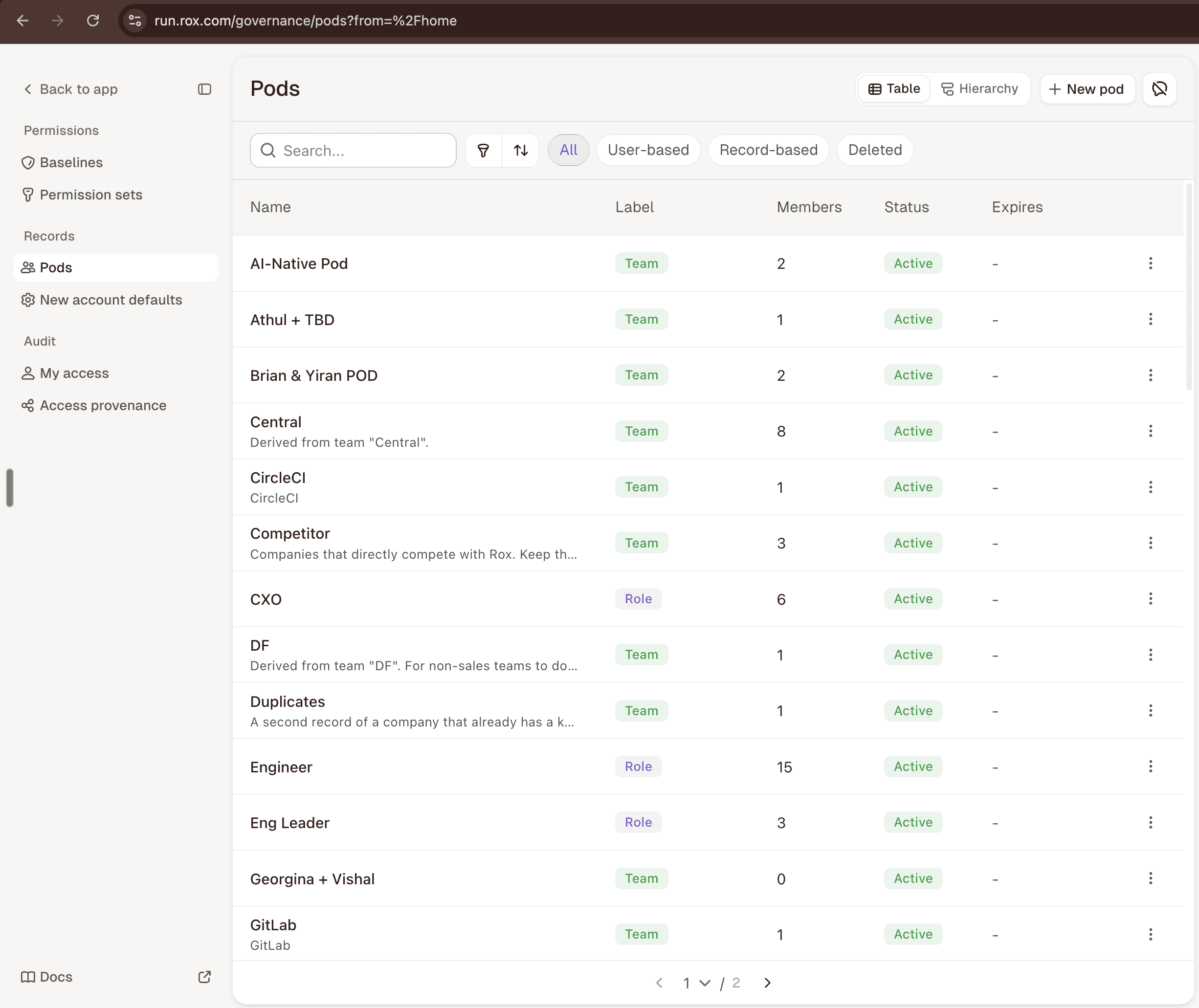
Open your profile menu at the bottom left of Rox and select Governance. In the console’s left sidebar, select Baselines under Permissions.
⁤2. Configure the Resource baseline

Select the actions every user can perform for each resource type, then click on "Save".

⁤3. Configure Record baseline

Scroll down and choose the default record access for each resource type. Changes are saved automatically.

⁤4. Configure Baseline field access

Scroll down and choose whether fields on accessible records are Editable, Read-only, or Hidden. Changes save automatically.

⁤5. Configure Parent-child access cascade

Add or activate a flow rule to extend access from a parent record to its linked child records.

  1. Click on "Add flow rule".

  1. Choose the parent and child resource types. Choose the Cascade Access Level. Then, select Add flow rule

  1. You can enable or disable access flow rules by using the toggle.

⁤

How Rox combines these settings

Each setting answers a different access question:

  • Resource baseline: Can the user perform this action on this type of data?

  • Record baseline: Can the user access this specific record?

  • Baseline field access: Can the user view or edit this field?

Rox evaluates the required layers together before allowing an action. Permission at one layer does not automatically unlock another. For example, permission to update Deals does not allow a user to edit every Deal, and access to a Deal does not make every field editable.

To edit the Amount on a Deal, the user needs Update access to Deals, Edit access to that specific Deal, and Editable access to the Amount field.

Best practices

  1. Start with Private record baseline. Users can still access records they own or receive through Pods, hierarchies, and sharing. Use public access only when every user genuinely needs it, because it raises the minimum access across the org and weakens the principle of least privilege.

  2. Use Editable field baseline for a simple starting point. Users can edit a field only when they also have Update access to the resource type and Edit or Full access to the record.

  3. For fine-grained field security, set the field baseline to Hidden for that resource type, then grant access to specific fields through Permission Sets.

  4. Keep Account → Email and Account → Event cascade active in-case you want any user to be able to see all activities related to an Account that they have access to.

Rox is committed to the privacy and security of its users. Customer data processed through the Rox platform is encrypted in transit and at rest using AES-256 encryption and is never used to train generalized machine learning models. Rox maintains SOC 2 Type II compliance and undergoes independent third-party security audits on an annual basis. All AI-generated outputs, including but not limited to prospect recommendations, message drafts, meeting summaries, and pipeline scoring, are provided for informational purposes and should be reviewed by authorized personnel before any action is taken. Performance metrics referenced on this website, including pipeline generation figures, response rates, and revenue impact, reflect results reported by individual customers under specific configurations and may not be representative of all deployments. Actual results will vary based on factors including but not limited to data quality, CRM configuration, outreach volume, market conditions, and target audience. Rox does not guarantee specific revenue outcomes. The Rox platform integrates with third-party services including Salesforce, HubSpot, Gmail, Microsoft Outlook, Slack, and others; availability and functionality of third-party integrations are subject to the respective providers' terms of service and may change without notice. Features described as "autopilot," "autonomous," or "automated" operate within user-defined parameters and require initial configuration and ongoing oversight. Rox, the Rox logo, and "Revenue on Autopilot" are trademarks of Rox Data Corp. All other trademarks are the property of their respective owners. Service availability is subject to the terms outlined in your enterprise agreement. For questions regarding data processing, compliance certifications, or platform capabilities, contact security@rox.com.

Rox is committed to the privacy and security of its users. Customer data processed through the Rox platform is encrypted in transit and at rest using AES-256 encryption and is never used to train generalized machine learning models. Rox maintains SOC 2 Type II compliance and undergoes independent third-party security audits on an annual basis. All AI-generated outputs, including but not limited to prospect recommendations, message drafts, meeting summaries, and pipeline scoring, are provided for informational purposes and should be reviewed by authorized personnel before any action is taken. Performance metrics referenced on this website, including pipeline generation figures, response rates, and revenue impact, reflect results reported by individual customers under specific configurations and may not be representative of all deployments. Actual results will vary based on factors including but not limited to data quality, CRM configuration, outreach volume, market conditions, and target audience. Rox does not guarantee specific revenue outcomes. The Rox platform integrates with third-party services including Salesforce, HubSpot, Gmail, Microsoft Outlook, Slack, and others; availability and functionality of third-party integrations are subject to the respective providers' terms of service and may change without notice. Features described as "autopilot," "autonomous," or "automated" operate within user-defined parameters and require initial configuration and ongoing oversight. Rox, the Rox logo, and "Revenue on Autopilot" are trademarks of Rox Data Corp. All other trademarks are the property of their respective owners. Service availability is subject to the terms outlined in your enterprise agreement. For questions regarding data processing, compliance certifications, or platform capabilities, contact security@rox.com.