5 Best Agentic Workflow Builders in 2026 (Free & Paid Options)
Leah Clapper

Agentic workflow builders can cut your work time by a lot without sacrificing quality. Through extensive testing of agentic AI tools, work automation has reached 35%. These agentic platforms combine large language models with app integrations to accomplish tasks without human oversight.
Unlike traditional automation tools, agentic AI solutions can adapt and make decisions. They complete whole workflows on their own.
We’ve compiled the 5 best agentic workflow builders for 2026, including both free and paid options to help you choose the right platform for your needs.
Gumloop
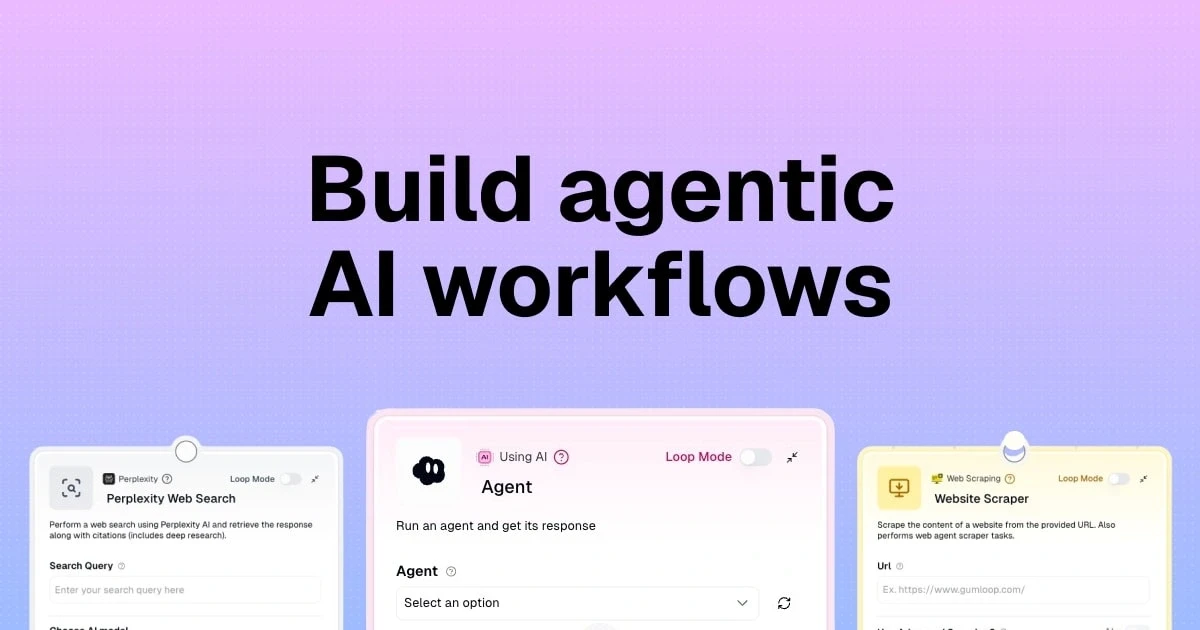
Gumloop secured a USD 50M Series B funding round led by Standard and positioned itself as a serious contender in the agentic AI tools space. This platform serves as both an agentic workflow builder and an AI agent platform that lets teams automate complex processes without writing code.
The company built it from the ground up with AI as its core focus rather than bolting it on later.
What is Gumloop
Gumloop operates as an AI-native automation platform where you build workflows on a visual canvas by connecting nodes together. Each automation lives in what the platform calls a workbook. This provides the foundation for all your automation work. Traditional workflow tools added AI capabilities later, but Gumloop was designed for the AI era.
The platform communicates with the internet and 125 apps to help you catch online trends and turn repetitive tasks into automated processes. Understanding a task should be the only prerequisite to automating it, according to the platform’s documentation. Companies like Gusto use Gumloop to power AI agents that drive revenue, reduce churn, and raise rep performance. This approach has attracted them.
Key Features and Capabilities
Gumloop provides over 115 pre-made blocks to create automations through its visual drag-and-drop builder. The platform’s architecture consists of flows (your automations), nodes (individual steps or actions), and trigger nodes that automate flows to run manually, on schedules, or from connected apps.
The platform excels at AI-powered operations through different node types. AI nodes handle tasks such as categorization, scoring, data extraction, and image analysis. You can extract specific data from documents based on requirements, classify and sort data into categories, conduct web research by collecting information from search engines, generate text content, and convert between speech and text. The platform allows switching between different AI models like Claude 3.5 Sonnet and GPT-4 depending on the task.
Model Context Protocol (MCP) integration sets Gumloop apart as an agentic platform. This open-source standard acts like a universal connector for AI applications. It provides a standardized way to link AI systems to external data sources, tools, and workflows. The MCP implementation lets you describe what you want integrations to do in plain language, with AI generating all the code behind the scenes.
Security features meet enterprise requirements with SOC 2 Type II certification and GDPR compliance. The platform maintains zero data retention, meaning Gumloop never uses customer data to train AI models. They have Zero Data Retention agreements and Data Processing Addendums for third-party models.
Role-based access control, virtual private cloud deployments, AI model restrictions, usage monitoring, audit logging, AI proxy support, and Single Sign-On provide additional security controls.
Gumloop Pricing
Gumloop uses a credit-based pricing model where different actions consume varying amounts of credits. Every workflow execution costs at least 1 credit. Each node adds more on top. The credit structure breaks down as follows: standard AI models cost 2 credits per call (like GPT-4.1 Mini), advanced AI models cost 20 credits per call (such as GPT-4.1), and expert AI models cost 30 credits per call (including GPT-5).
Plan | Price | Credits/Month | Seats |
|---|---|---|---|
Free | USD 0 | 5,000 | 1 |
Pro | USD 37 | 20,000+ | Unlimited |
Enterprise | Custom | Custom | Custom |
The pricing model presents challenges in predictability. One user reported a LinkedIn workflow that went from consuming 1-2 credits per run to using 70 credits after a minor modification. Heavy operations like data enrichment can cost 10-60+ credits. Budgeting becomes difficult without a clear cost calculator to estimate credit usage before building a flow.
Notwithstanding that, the platform offers a Bring Your Own Key (BYOK) option where you connect your own OpenAI or Anthropic API key. This eliminates AI markup and reduces costs to just the base execution cost in Gumloop credits.
Pros and Cons
The platform delivers an AI-native architecture where AI is baked in rather than added as an afterthought. The visual interface provides smooth canvas interactions with a clean, easy-to-use design that makes building workflows approachable. MCP integration makes natural-language connection to external systems possible, while the Chrome extension allows in-browser scraping and triggering.
Gumloop supports custom nodes and subflows for extensibility. An AI assistant called Gummie can auto-build flows and help debug issues. The platform excels at batch operations like scraping, enrichment, and large-scale analysis. This makes it strong for GTM and revenue teams needing data workflows.
The platform has a steep learning curve as its paradigm is different from traditional trigger-action tools. Integration options remain limited compared to established players, with only 100+ integrations supported currently. The credit pricing model lacks transparency and makes usage costs unpredictable.
Custom nodes can be unreliable and may require manual fixes. Some rough edges exist in early development phases including bugs and inconsistent behavior.
Best For
Gumloop suits operations leaders automating research-heavy internal workflows, growth engineers building enrichment and qualification pipelines, and technical founders who want production-grade agents without a full platform build.
Marketing and sales teams benefit from web scraping agents, sentiment monitoring, and automated keyword research workflows. Small teams and solopreneurs who want to automate routines without engineering time find the easy-to-use interface available.
Businesses needing automation agents can create custom agents to scrape the web for trends, summarize emails, and answer questions based on internal knowledge bases.
n8n
Jan Oberhauser founded n8n in Berlin and released it publicly in 2019. The platform (pronounced “n-eight-n”) emerged as a developer-friendly alternative to proprietary automation platforms. The name derives from “nodemation,” a fusion of node and automation, with the “8” representing the eight letters between the first and last “n”.
n8n had raised USD 180 million in a Series C round by October 2025 and brought the company’s valuation to USD 2.5 billion. The platform connects more than 350 applications with some sources citing over 500 integrations in 2026.
What is n8n
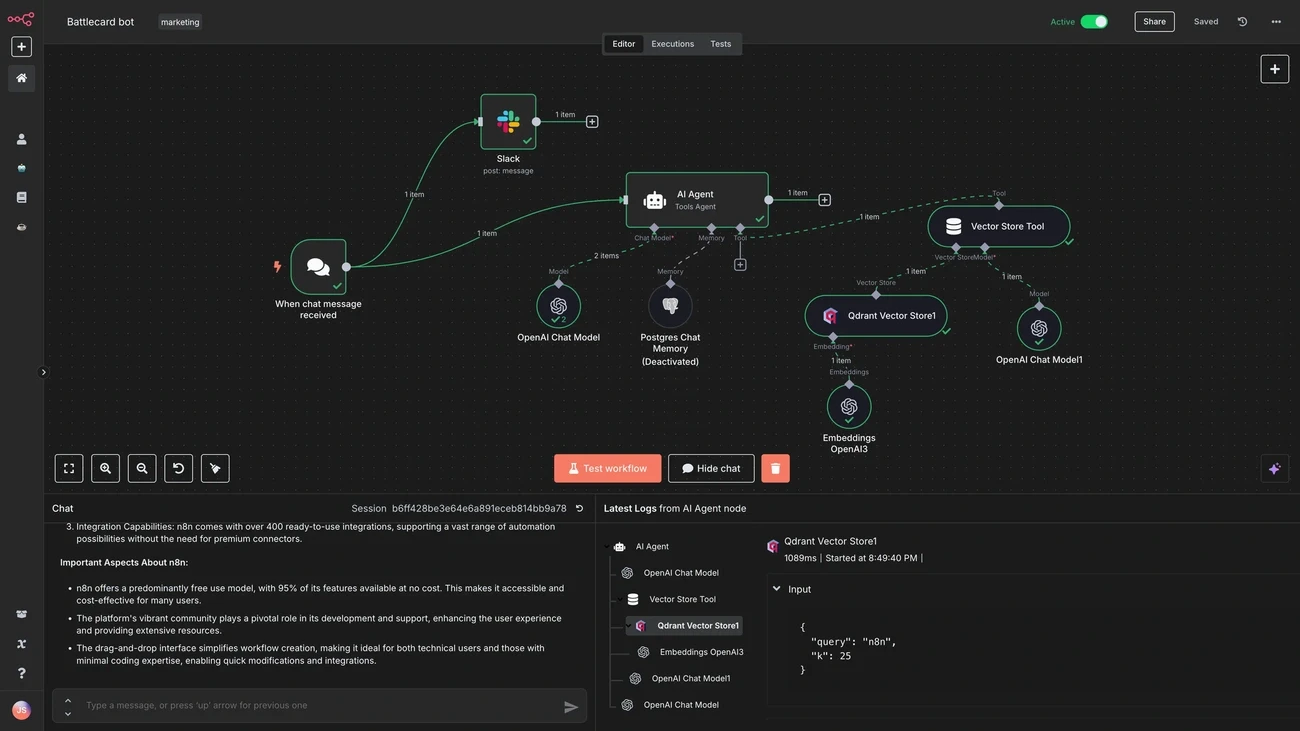
n8n operates as a fair-code licensed workflow automation platform that blends visual design with full-code capabilities. n8n provides self-hosting options, custom JavaScript execution, modular subflows, and direct API integrations.
Tools emphasizing pure simplicity don’t offer these features. The platform presents automations through a visual, node-based editor where users connect nodes (each representing an application, service, or operation) into workflows. You can write JavaScript or Python in a code node when visual nodes fall short.
The platform functions as both an agentic workflow builder and a backend orchestration layer. Workflows are stateful and programmable. You can introduce conditions, loops, branching logic, and custom code when needed. This flexibility makes it possible for teams to build systems resembling backend services rather than simple automations. The platform handles up to 220 workflow executions per second on a single instance.
Key Features and Capabilities
n8n provides over 400 pre-configured integrations to eliminate repetitive code. The visual editor delivers fast feedback loops where outputs appear right next to settings at every step. You can execute just the last step rather than the whole sequence.
Function nodes allow native JavaScript to be written within workflows for transforming data, applying conditional logic, or bridging between APIs.
The AI capabilities position n8n as an agentic AI platform. Built-in AI nodes make it possible for workflows to chat, summarize documents, or answer questions. The platform supports multi-agent setups and RAG systems and allows integration with multiple cloud or offline AI models.
You can connect any LLM model, inspect every decision, and keep humans in the loop. The AI Agent builder lets you design context-aware agents with memory, tools, and guardrails. AI agents can reason, branch, and act across systems using the same workflow canvas.
Git-based source control supports environments for staging and production deployments. Security features include SOC 2 Type II certification, external pen tests, and the ability to fetch secrets from AWS Secrets Manager, Azure Key Vault, Google Cloud Platform, HashiCorp Vault, and Infisical without saving them in n8n. Projects and roles allow team access control to collections of workflows and credentials.
n8n Pricing
n8n uses execution-based billing where you pay per workflow run, not per individual step inside a workflow. A complex 20-node workflow counts as a single execution and makes n8n more economical than step-based tools for complex automations. n8n removed all active workflow limits across every plan as of 2026.
Plan | Price | Executions/Month | Concurrent |
|---|---|---|---|
Community Edition | Free | Unlimited | Unlimited |
Starter | €24/month (€20 annually) | 2,500 | 5 |
Pro | €60/month (€50 annually) | 10,000 | 20 |
Business | €800/month (€667 annually) | 40,000 | 30 |
Enterprise | Custom | Unlimited | 200+ |
Annual billing saves 17% across cloud plans. Startup discounts offer 50% off Business for companies with under 20 employees. Self-hosting isn’t free as infrastructure costs USD 5-20/month for a small VPS, plus engineering time for setup and maintenance.
Pros and Cons
n8n excels at flexibility through its hybrid approach. The platform never limits you with the interface, as the code node handles custom transformations in JavaScript or Python. You can build complex workflows that other tools can’t handle. The self-hosting capability provides complete control over data and infrastructure and meets compliance requirements for HIPAA, GDPR, and SOC 2.
The execution-based pricing delivers cost advantages. Step-based tools charge per action, but n8n’s model reduces costs for workflows with multiple steps. Live error handling, scoped execution, and visual logs make debugging fast and transparent. The platform scales well for technical teams with support for logs, audit trails, error handling, event triggers, and scheduling.
n8n presents a steep learning curve. The platform assumes you understand APIs, logic flows, and how systems connect. Error handling is robust, but the way errors surface isn’t obvious for newcomers. The UI works well for small workflows but can feel cluttered as things get bigger and makes visual debugging harder. Self-hosting adds responsibility for keeping systems running, handling updates, and managing security patches.
Best For
n8n suits tech-forward startups building fast without accruing automation debt and hybrid teams blending product, dev, and ops skillsets. AI builders use it to orchestrate LLMs, agents, and model-based workflows. The platform serves enterprises needing automation they can self-host, audit, and extend.
Teams working under compliance frameworks like HIPAA, GDPR, or SOC 2 benefit from maintaining protected data within their infrastructure. DevOps, SecOps, and IT Ops teams use n8n for onboarding employees, enriching security incident tickets, and converting natural language into API calls.
Relay.app
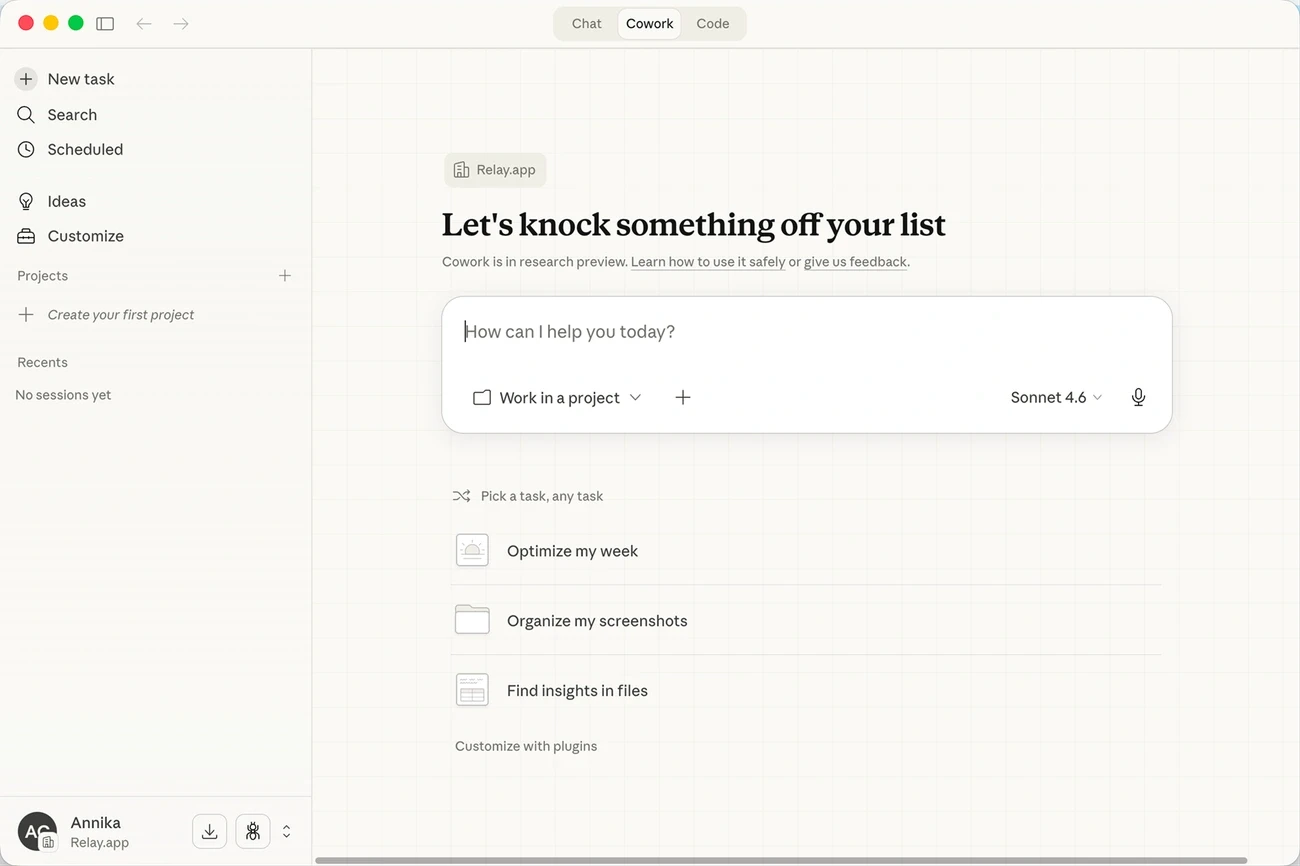
Relay.app will cease operations on August 15, 2026 for free users and September 14, 2026 for paying customers. New signups and free-to-paid upgrades have been turned off, though existing workflows continue running through the wind-down window. This shutdown comes despite the platform’s consistent praise for its accessible interface and ease of use.
What is Relay.app
Relay.app operated as a modern automation tool with built-in AI and Human-in-the-Loop controls. The platform automated workflows across Gmail, Notion, HubSpot, and 100+ other apps.
AI automation, human oversight, and team collaboration merged in one interface. Users could build workflows that chat, summarize documents, answer questions, and make context-aware decisions. The system emphasized workflows that integrate AI functions naturally while you retain control over operations.
The platform functioned as an agentic AI platform through AI-driven automation features like live data integration, batch triggers, and built-in AI steps for tasks such as content summarization and data extraction.
Workflows always used current information without manual refresh thanks to its live data system. One team implemented a working Purchase Order processing workflow in a few hours after struggling with a competitor’s product for weeks. They had a functional workflow in less than three days.
Key Features and Capabilities
Relay.app delivered automation through a visual workflow builder using drag-and-drop simplicity. Conditional logic handled complex scenarios without coding. The platform provided custom AI prompts that let users train agents for specific tasks, while built-in AI actions handled common use cases. The flexibility to swap out LLMs without changing the rest of the workflow stood out as a useful feature.
Human-in-the-Loop features formed the platform’s core strength. Approvals, tasks, and data entry ensured you maintained control over AI operations. Team workflows supported multi-person approval processes. Role-based access controlled who could modify what, and shared templates made workflows reusable across teams. Live notifications kept everyone updated on automation status.
The system excelled at content generation, data analysis, and making context-aware decisions. Smart error handling meant workflows kept running even when things went sideways. Use cases spanned automating routine tasks across multiple applications and integrating AI capabilities into existing workflows. Teams could implement human-in-the-loop processes for AI oversight and develop custom AI agents for specific business functions.
Relay.app Pricing
Relay.app used a tiered pricing model based on users, workflow steps, and AI credits. A step represented any action performed in a workflow, like sending an email or updating a spreadsheet. AI credits were consumed when Relay ran actions powered by GPT, Claude, or Gemini models.
Plan | Price | Steps/Month | AI Credits | Users |
|---|---|---|---|---|
Free | USD 0 | 200 | 500 | 1 |
Professional | USD 38 | 1,500 | 1,000 | 1 |
Team | USD 138 | 5,000+ | 2,000+ | 10 |
Enterprise | Custom | Custom | Custom | Custom |
Users could connect existing OpenAI or Anthropic accounts to use their own AI credits instead of Relay’s. Additional AI credits ranged from USD 19 per month for 10,000 credits to USD 1,199 per month for 1,000,000 credits.
Pros and Cons
The interface proved accessible, earning a perfect 5.0 G2 rating. Customer support responded faster than expected. The human-AI collaboration functioned as designed rather than as an afterthought. The no-code approach didn’t sacrifice power, and the generous free plan included all features. Beginners could start without coding while advanced users could build sophisticated automations.
But as a newer platform it had a smaller community compared to older tools. Advanced AI features required a learning curve to master. Fewer pre-built templates were available, and some advanced features required higher-tier plans.
Best For
Relay.app suited content creators managing manual posting and small business owners juggling multiple tools. Marketing teams needing collaboration features found value in the platform. The platform worked well for anyone burned by complex automation tools.
Operations leaders automating research-heavy workflows and teams needing human oversight in AI processes benefited from the platform. Current users should export workflows, sequences, MCP servers as JSON, run history, and tables as CSVs before the deadline given the imminent shutdown.
Zapier
Zapier launched in 2012 as part of the Y Combinator startup accelerator program after its 2011 founding. The platform serves over 2.2 million companies worldwide as of 2026 with integrations spanning more than 9,000 distinct web applications. The automation platform has processed 593,138,971 AI tasks since January 2023. This establishes it as a leading agentic AI platform for business process automation.
What is Zapier
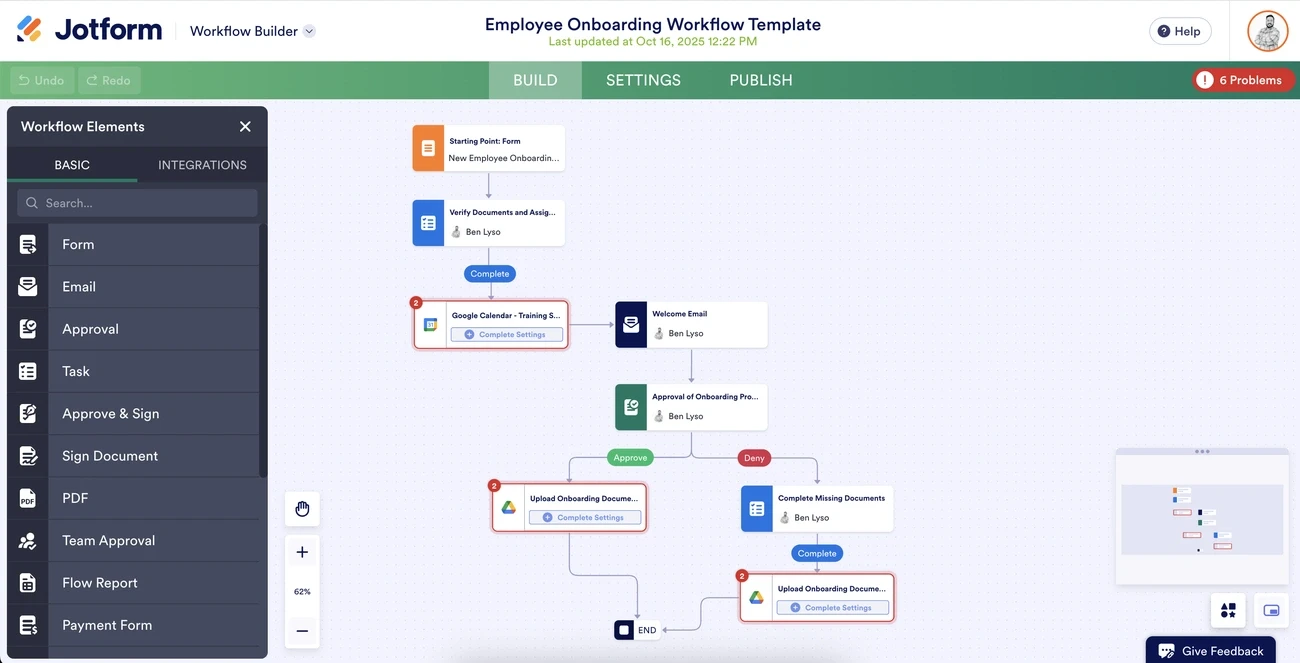
Zapier functions as an AI orchestration tool connecting apps through automated workflows called “Zaps”. Each Zap consists of a trigger (an event in one application) and one or more actions carried out in other connected apps in response. The platform targets users with minimal to moderate technical skills and operates as a low-code/no-code solution.
The system evolved beyond simple automations into an agentic workflow builder. Zapier Agents create AI assistants that handle work autonomously. Zapier MCP allows AI apps like Claude and ChatGPT to take actions across 9,000+ apps with OAuth-managed authentication and SOC 2-certified governance built in. The platform has Zapier SDK for code projects in Cursor, VS Code, or Claude Code, and Zapier CLI for terminal-based quick scripts.
Remote.com’s three-person IT team demonstrates the platform’s capabilities by resolving 28% of company requests automatically. They save 2,219 days each month through automation across their 1,700+ employee organization supported by 580 active Zaps. Toyota of Orlando manages 30,000+ lead records and saves 20+ hours weekly through AI-driven insights.
Key Features and Capabilities
Zapier provides advanced automation through Filters (running workflows only when conditions are met, like deal values exceeding specific thresholds), Paths (routing data to different teams based on if/then logic), and Scheduling (timing increments with Delay features).
The platform handles data formatting for dates, currency, and text transformations. Looping manages line items by running actions multiple times as needed. Webhooks connect to any API without code.
Built-in AI capabilities include Zapier Copilot, which builds and troubleshoots workflows via natural language prompts. The platform supports 400+ AI tools and enables users to connect AI to workflows, build agents, and deliver on AI strategy. AI nodes can categorize data, score leads, extract information from documents, conduct web research, generate content, and convert between speech and text.
Zapier Tables functions as a no-code database for storing, managing, and tracking data within automation pipelines. Zapier Canvas provides diagramming and visualization for planning workflows. Zapier Forms captures inputs that trigger automated processes. Security features include SOC 2 Type II and SOC 3 compliance, GDPR and CCPA adherence, and SAML-based SSO with SCIM for automated user management.
Zapier Pricing
Zapier uses task-based pricing where tasks count only when actions complete. Triggers never count toward task limits. The platform removed active workflow limits across all plans in 2026.
Plan | Price | Tasks/Month | Features |
|---|---|---|---|
Free | USD 0 | 100 | Two-step Zaps, unlimited Zaps, checks every 15 minutes [271] |
Professional | USD 19.99 (annually) | 750+ | Multi-step Zaps, premium apps, webhooks, email/live chat support |
Team | USD 69/month (annually) | 2,000+ | Unlimited users, shared connections, premier support, checks every minute [124] |
Enterprise | Custom | Custom | SSO, SCIM, advanced permissions, annual task limits, dedicated support |
Annual billing provides a 33% discount compared to monthly payments. Nonprofits receive a 15% discount on paid plans.
Pros and Cons
The platform excels with its extensive ecosystem of 9,000+ app integrations and provides broader connectivity than competitors. Task-based billing proves more predictable than step-based models, especially when you have multi-action workflows.
OAuth-managed authentication keeps credentials protected while maintaining functionality. The accessible visual editor supports both beginners and advanced users building complex multi-step chains with logic paths.
But the free plan’s limitation to two-step workflows restricts experimentation. Premium apps remain behind paywalls at higher tiers. The polling time of 15 minutes on free accounts delays automation responsiveness. Some users report complexity in advanced workflow setups and a learning curve for sophisticated features. No mobile app exists for creating integrations on the go.
Best For
Zapier serves RevOps teams integrating CRM, billing, and analytics for data accuracy. Sales departments automate lead capture and follow-ups to accelerate deal cycles. Marketing teams unify campaign data for omnichannel operations.
HR departments streamline recruitment and onboarding, and IT teams centralize workflows for compliance and ticket management. E-commerce operations benefit from automated order processing and customer service workflows.
Teams wanting to start automating with AI-powered orchestration find Zapier’s combination of ease and power effective for business-critical workflows.
Microsoft Copilot Studio
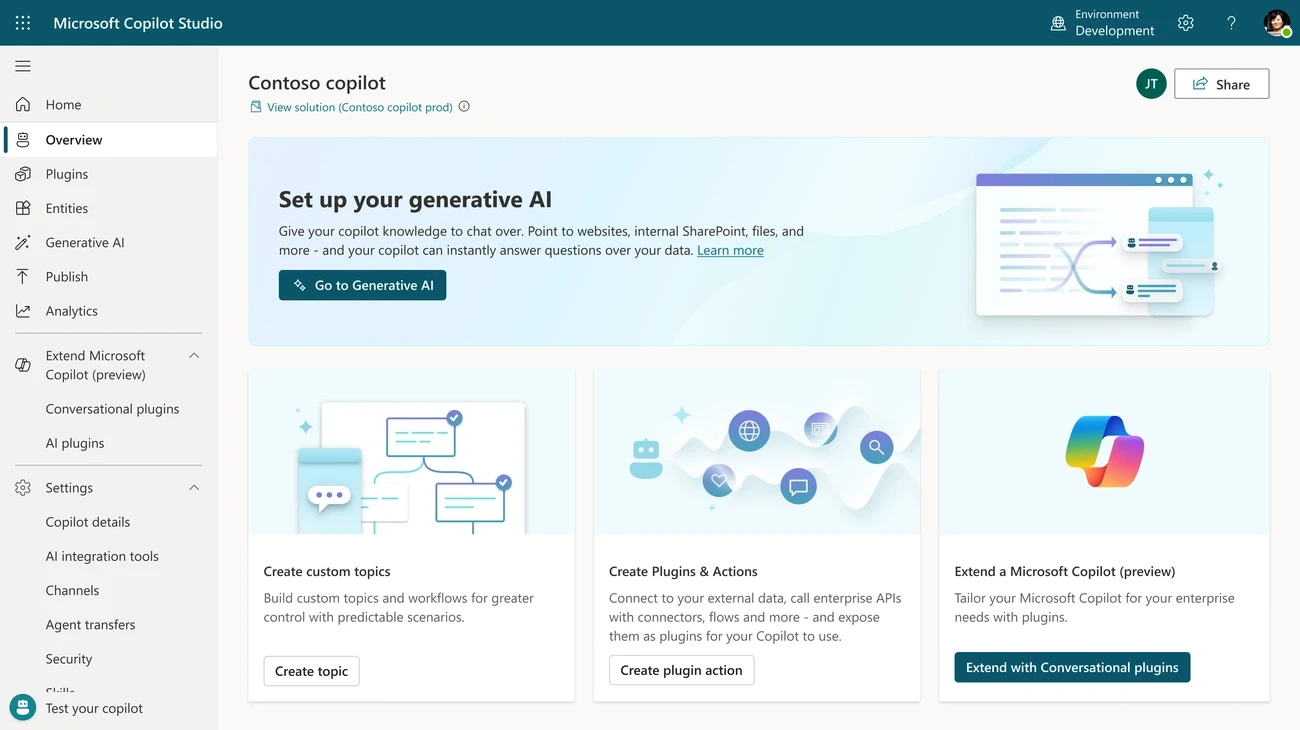
Microsoft rebranded Power Virtual Agents as Copilot Studio in late 2023 and positioned it as the company’s end-to-end platform for building AI agents using natural language or a graphical interface.
The platform functions as both an agentic workflow builder and an agentic AI platform. Organizations create agents that answer employee questions, automate approvals, process orders and serve customers through Teams, web chat, WhatsApp and custom apps.
What is Microsoft Copilot Studio
Copilot Studio operates as a graphical, low-code tool for building agents and workflows. The platform distinguishes between two automation formats: agent flows (the classic experience like Power Automate) and workflows (a new format in public preview with a redesigned visual canvas and native AI actions).
Workflows automate repetitive tasks and integrate apps and services. They trigger based on manual input, automated events, agents or schedules. Every action workflows execute consumes Copilot Studio capacity. Once prepaid capacity is consumed, new flow runs are blocked until capacity becomes available.
Key Features and Capabilities
The platform delivers AI-driven actions that utilize large language models to generate text, process documents, run prompts and call agents. Computer use capabilities, now available, let agents automate web and desktop apps by controlling browsers and desktop applications.
MCP server integration enables agents to access organizational data including emails, calendar events, files, Teams messages and people information through Microsoft IQ in the new agent experience. The Windows 365 for Agents MCP server gives full operational control of a Windows 365 cloud PC.
Users can select Claude Sonnet 5 or GPT-5.5 Chat as the agent’s main AI model. Security features include SOC 2 Type II certification, external penetration tests and Microsoft Entra Agent IDs that scope connector permissions. Projects and roles control team access to workflow collections and credentials.
Microsoft Copilot Studio Pricing
Copilot Studio uses Copilot Credits as the consumption unit. The number consumed depends on agent design and features used. Microsoft’s example shows a tenant-graph-grounded agent consuming 12 credits per response (10 for grounding + 2 for generative answer), while adding reasoning increases the same response to 112+ credits.
Plan | Price | Credits | Key Details |
|---|---|---|---|
M365 Copilot Included | USD 30/user/month | Unlimited for licensed users | Internal agents only, Teams/SharePoint/Copilot Chat [332] |
Prepaid Capacity Packs | USD 200/month | 25,000 | USD 0.01/credit, unused credits don’t carry over [331] |
Pre-purchase Plan | Custom | Custom CCCUs | Annual commitment, up to 20% discount, PAYG overflow |
Pay-as-you-go | USD 0.01/credit | Unlimited | No upfront commitment, Azure subscription required [332] |
Licensing starts at USD 200 per month for up to 25,000 messages. Microsoft 365 Copilot lets licensed users build and use internal agents within Microsoft 365 at no additional cost, while standalone licenses enable publishing to external channels.
Pros and Cons
The platform excels at spinning up agents, running mock conversations and testing tool integration for proof-of-concept work. Microsoft’s early MCP server adoption puts them ahead of competing platforms, with OAuth support for connecting APIs and internal systems securely.
Deep integration with the Microsoft ecosystem allows indexing SharePoint and OneDrive documents and integration with Power Automate, Azure AI Search and Azure OpenAI. Security controls through Purview provide strong DLP and governance capabilities.
Performance issues surface as a major complaint. Indexing a PDF document took 10 minutes, while connecting to an Azure SQL Database with 15 tables remained incomplete after a day. Agents published to Teams don’t update for end users, which results in different users running different versions.
Governance gaps include no way to prevent users from creating agents in other environments or redirect them to the default environment. The credit pricing model lacks transparency and makes usage costs unpredictable.
Best For
Copilot Studio suits IT admins creating agents to perform tasks or interact with customers, organizations already invested in the Microsoft ecosystem needing agents for Teams and SharePoint, and enterprises requiring SOC 2 and GDPR compliance.
Employee-facing scenarios like IT helpdesks, HR policy bots and onboarding assistants work well for M365 Copilot license holders at zero additional credit cost. Teams working under compliance frameworks benefit from keeping protected data within Microsoft infrastructure.
Organizations wanting to get started with agentic workflow automation can explore the free trial offering 90 days of access to create and test agents.
Conclusion
Your choice of agentic workflow builder depends on your technical expertise and automation needs. The first thing to note is that execution-based pricing models like n8n offer better value than step-based alternatives for complex workflows.
Microsoft Copilot Studio works best for organizations already invested in the Microsoft ecosystem.
Test your most critical workflows during free trials before committing to any platform. You can start building your first agentic workflow to experience how AI-powered automation changes repetitive tasks. The platform you choose today will shape your automation capabilities in years ahead, so prioritize flexibility and scalability over immediate simplicity.
FAQs
What makes agentic workflow builders different from traditional automation tools?
Agentic workflow builders combine large language models for reasoning with app integrations and autonomous action capabilities. Unlike traditional automation tools that follow rigid if-then rules, agentic AI solutions can adapt to changing conditions, make decisions independently, and complete entire workflows without constant human oversight.
Which agentic workflow builder is best for teams without coding experience?
For non-technical teams, platforms with intuitive visual interfaces work best. Tools offering drag-and-drop builders, pre-made templates, and no-code options allow users to create automations without programming knowledge. The key is finding a platform that balances ease of use with enough power to handle your specific workflow requirements.
Are there free options available for building agentic workflows?
Yes, several platforms offer free plans with meaningful capabilities. These typically include limited workflow executions, basic integrations, and access to core features. Free tiers work well for testing concepts and small-scale automation, though production deployments usually require paid plans for higher execution limits, advanced features, and priority support.
How do pricing models differ between agentic workflow platforms?
Pricing models vary significantly across platforms. Some use credit-based systems where different actions consume varying amounts of credits, while others charge per workflow execution regardless of complexity.
Task-based pricing counts only successful actions, and some platforms offer execution-based billing where a multi-step workflow counts as a single execution, making them more cost-effective for complex automations.
What should I prioritize when choosing an agentic workflow builder for my business?
Focus on the workflow layer rather than just AI model quality, as execution, orchestration, integrations, tracing, approvals, and reliability determine whether automation succeeds in production. Consider your team’s technical expertise, required integrations, security and compliance needs, scalability requirements, and total cost of ownership including both subscription fees and execution costs.
Similar Articles
We build with the best to make sure we exceed the highest standards and deliver real value.

